

In the realm of web development, optimizing performance is essential. One effective way to achieve this is through code splitting and lazy loading techniques. These strategies not only enhance load times but also significantly improve user experience. Let's explore the key insights that can elevate your web development skills.
What You Will Learn
- Code splitting improves initial load times by breaking down JavaScript into smaller, manageable chunks, allowing essential code to load first.
- Lazy loading defers the loading of non-essential resources, enhancing page performance and reducing bandwidth consumption.
- Most modern JavaScript frameworks, such as React, Vue, and Angular, support these techniques, simplifying their implementation.
- Understanding potential pitfalls, like excessive network requests and delayed content visibility, is crucial for optimizing performance.
- Mobile network conditions significantly affect the effectiveness of code splitting and lazy loading; strategies must be adapted accordingly.
- These techniques can impact SEO if not implemented carefully, as they may hinder content visibility for search engine crawlers.
Key Techniques for Web Performance Enhancement
Code splitting and lazy loading are two powerful techniques to improve web application performance and user experience. To further enhance your understanding of performance best practices, consider exploring web performance tools for 2025.
Code Splitting: What It Is & How It Works
Divides JavaScript code into smaller, manageable chunks, loading only necessary code for each page or feature.
- • Improves initial load times
- • Reduces code evaluated by browser
- • Enhances user experience
Lazy Loading: Mechanism & Purpose
Defers loading of non-essential resources until needed (e.g., images, scripts).
- • Reduces initial page load time
- • Conserves bandwidth for users
- • Improves loading times for assets
Potential Drawbacks & Limitations
- • Excessive Network Requests
- • Overhead from Lazy Loading (lag)
- • Complexity in Implementation
- • Mobile Network Variability
SEO Impact Considerations
- • Delayed Content Visibility
- • JavaScript Rendering Issues for Crawlers
- • Impact on Engagement Metrics (bounce rates)
Understanding Code Splitting and Lazy Loading
In the world of web development, enhancing performance is a constant challenge that we, at Conversion Catalyst Design, take very seriously. Two prominent techniques that have emerged as effective solutions are code splitting and lazy loading. These strategies not only improve load times but also elevate the overall user experience, which is at the core of what we do.
So, what exactly are these techniques? Let's break them down to understand their significance and how they work in practice.
Defining Code Splitting: What It Is and How It Works
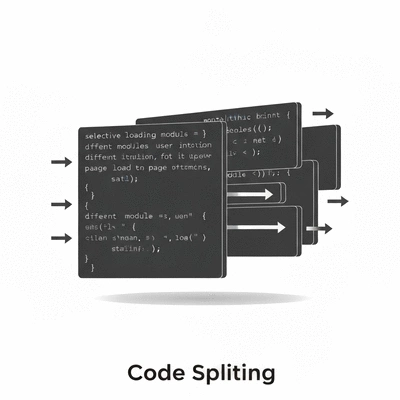
Code splitting is a practice that divides your JavaScript code into smaller, manageable chunks rather than delivering a single large file. By doing this, you allow your web application to load only the necessary code for each specific page or feature. It’s like unpacking a suitcase only when you arrive at your destination; you don’t need everything right away!
- Improves initial load times
- Reduces the amount of code evaluated by the browser
- Enhances user experience by loading features as needed
This approach not only accelerates the time to interactivity but also helps in maintaining cleaner code. As a web designer, I appreciate how code splitting aligns with my mission of delivering optimal user experiences.
Explaining Lazy Loading: Mechanism and Purpose
Lazy loading complements code splitting by deferring the loading of non-essential resources until they are actually needed. This means that images, scripts, or any other assets are only loaded when they enter the viewport or are interacted with, significantly improving the performance of web pages.
- Reduces initial page load time
- Conserves bandwidth for users
- Improves loading times for images and assets
Imagine scrolling through a long article; only the images that are visible as you scroll get loaded. This not only boosts performance but keeps your visitors engaged, just as we aim to do at Conversion Catalyst Design!
JavaScript Frameworks Supporting Code Splitting and Lazy Loading
Most modern JavaScript frameworks have built-in support for both code splitting and lazy loading, making implementation easier than ever. Frameworks like React, Vue, and Angular provide powerful tools that developers can leverage. For more insights on how performance impacts user experience, read about behavioral analytics and user experience.
- React: Utilizes
React.lazy()andSuspensefor smooth lazy loading integration. - Vue: Supports dynamic imports for straightforward code splitting.
- Angular: Offers routing techniques that inherently enable lazy loading.
As someone deeply invested in web development, I appreciate how these frameworks not only streamline the development process but also enhance the user experience significantly. Harnessing these tools is a game changer for achieving a fast and responsive website!
Pro Tip
When implementing code splitting and lazy loading, consider utilizing tools like Webpack or Parcel. These tools can help you optimize your code by automatically splitting it into manageable chunks and handling lazy loading more efficiently. This not only improves your website's performance but also simplifies your development process!
Exploring Drawbacks and Limitations of Each Technique
While code splitting and lazy loading are powerful tools in a web developer's arsenal, they are not without their drawbacks. It's vital to understand the potential pitfalls associated with these techniques to ensure optimal performance. Let's dive into the areas where these methods might fall short.
Potential Performance Pitfalls: When to Avoid These Techniques
It's crucial to identify scenarios where using code splitting and lazy loading may actually hinder performance. Some situations to consider include:
- Excessive Network Requests: Code splitting can lead to too many HTTP requests, causing delays in loading essential components.
- Overhead from Lazy Loading: If components are loaded too late, users might experience lag or a disjointed interface, especially during initial interactions.
- Complexity in Implementation: For smaller applications, the overhead of setting up these techniques may outweigh the benefits, complicating the development process.
Understanding these performance pitfalls helps you make informed decisions about when and how to implement these techniques effectively.

Mobile Considerations: Optimizing for Varied Network Conditions
When it comes to mobile users, network conditions can vary dramatically. This variability can have a significant impact on the effectiveness of code splitting and lazy loading.
- 3G/4G Networks: Users on slower networks may face delays in loading components that rely on lazy loading, leading to frustration.
- Offline Scenarios: If users lose connectivity, lazy loaded components might fail to load entirely, which can hamper user experience.
- Data Usage: Heavy reliance on multiple small requests may lead to increased data consumption for users on limited plans.
By understanding these mobile considerations, you can optimize your implementation strategy accordingly, ensuring a smoother experience for all users. My experience at Conversion Catalyst Design has taught me the importance of considering the diverse environments in which users access websites.
SEO Impact of Code Splitting and Lazy Loading on User Engagement
SEO is another area that can be affected by these techniques. Code splitting and lazy loading can enhance user experience, but they also introduce certain challenges:
- Delayed Content Visibility: With lazy loading, search engine crawlers may not index content that isn’t immediately visible, potentially affecting SEO rankings.
- JavaScript Rendering Issues: Some search engines struggle with rendering JavaScript-heavy applications, which may lead to incomplete indexing.
- Impact on Engagement Metrics: If users perceive lag when interacting with your site, this can lead to higher bounce rates and lower engagement metrics, which are detrimental for SEO.
Understanding the SEO impact of these techniques is essential for maintaining strong user engagement and ensuring that your website performs well in search engine results. At Conversion Catalyst Design, we emphasize balancing performance enhancements with SEO best practices to safeguard our clients' visibility online. For further reading on this topic, check out the connection between web performance and SEO.
Recap of Key Points
Here is a quick recap of the important points discussed in the article:
- Code splitting improves initial load times by breaking down JavaScript into smaller chunks that are loaded as needed.
- Lazy loading defers loading of non-essential resources until they are needed, enhancing the performance of web pages.
- Modern JavaScript frameworks like React, Vue, and Angular support both techniques, simplifying their implementation.
- Be mindful of potential pitfalls such as excessive network requests and delays caused by lazy loading, especially in mobile contexts.
- Consider the SEO implications of these techniques, as delayed content visibility can affect indexing and user engagement.
Frequently Asked Questions about Code Splitting and Lazy Loading
What is code splitting?
Code splitting is a technique that divides JavaScript code into smaller, manageable chunks. This allows a web application to load only the necessary code for specific pages or features, improving initial load times and reducing the amount of code the browser needs to evaluate.
How does lazy loading work?
Lazy loading defers the loading of non-essential resources, such as images or scripts, until they are actually needed by the user. This typically means resources are loaded only when they enter the user's viewport or are interacted with, significantly reducing initial page load times and conserving bandwidth.
Which JavaScript frameworks support these techniques?
Most modern JavaScript frameworks, including React, Vue, and Angular, have built-in support for code splitting and lazy loading. They provide tools and mechanisms (like React.lazy() and Suspense in React, dynamic imports in Vue, and routing techniques in Angular) that simplify their implementation.
What are the potential drawbacks of using code splitting and lazy loading?
Potential drawbacks include excessive network requests, which can cause delays; overhead from lazy loading if components load too slowly, leading to a disjointed user experience; and increased implementation complexity, especially for smaller projects. These techniques can also be affected by varied mobile network conditions.
How do code splitting and lazy loading impact SEO?
If not implemented carefully, these techniques can impact SEO. Delayed content visibility due to lazy loading might prevent search engine crawlers from indexing certain content immediately. JavaScript rendering issues can also lead to incomplete indexing, and poor user experience from lag can increase bounce rates, negatively affecting engagement metrics and SEO.