
What if you could see exactly how users interact with your website? Heatmaps and session replays make that possible, transforming the way you understand user behavior and optimize your design for conversions. Dive into the insights offered by these powerful tools as we explore the key takeaways from their application in user experience.
What You Will Learn
- Understanding heatmaps provides insights into user engagement through color-coded visuals showing clicks, scrolls, and hovers.
- Session replays offer a detailed look at individual user journeys, helping identify navigation issues and points of friction.
- Behavioral analytics play a crucial role in optimizing UX by revealing patterns in user behavior and highlighting areas for improvement.
- Key metrics such as conversion rates, bounce rates, and time on page are essential for evaluating the ROI of UX improvements.
- Effective heatmap software should include real-time data, customizable reports, and cross-platform compatibility to enhance user analysis.
- Conducting funnel analysis helps you pinpoint drop-off points in the user journey, enabling targeted improvements that drive conversions.
Heatmaps vs. Session Replays: A Comparative Overview
This visual outlines the distinct features and applications of heatmaps and session replays in understanding user behavior and optimizing web design.
Heatmaps: Visual Engagement Insights
- ✓ Visuals: Color-coded representations of user interaction (clicks, scrolls, hovers).
- ✓ Data Type: Aggregated data, showing overall trends across many users.
- ✓ Focus: Identifies popular content areas and ignored sections.
- ✓ Use Case: Optimizing content placement, CTA visibility, and layout.
Session Replays: Individual User Journeys
- ✓ Visuals: Playback of individual user sessions, like a video.
- ✓ Data Type: Specific, detailed user actions and navigation paths.
- ✓ Focus: Pinpoints user friction, confusion, and exact drop-off points.
- ✓ Use Case: Debugging UX issues, understanding form abandonment.
Understanding Heatmaps and Session Replays in User Experience
In the world of user experience (UX), understanding how visitors interact with your website is key to driving conversions. That's where tools like heatmaps and session replays come into play! These powerful analytics provide insights into user behavior, helping us pinpoint what works and what needs improvement. At Conversion Catalyst Design, we leverage these tools to ensure every website we design is optimized for success. For more on optimizing user interaction, check out our insights on how behavioral analytics enhances user experience.
What Are Heatmaps and Session Replays?
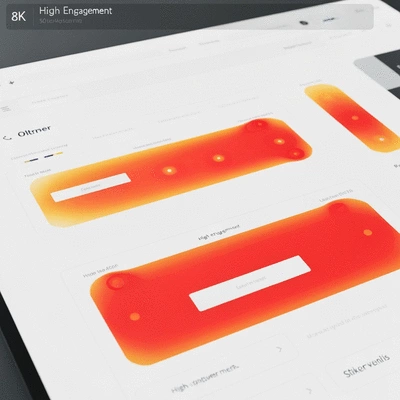
Heatmaps are visual representations of data that show how users interact with a webpage. They illustrate areas where users click, scroll, or hover the most, giving us a clear picture of their journey. On the other hand, session replays record individual user sessions, allowing us to watch how visitors navigate through the site. Together, these tools create a comprehensive view of user interaction!
- Heatmaps: Color-coded visuals indicating user engagement.
- Session Replays: Replays of user interactions from start to finish.
- Insights: Identifying friction points and areas of interest.
By using these techniques, we can tailor our designs at Conversion Catalyst Design to enhance user experience effectively. Whether it’s adjusting a layout or refining content placement, the data we gather shapes our approach to creating websites that truly resonate with users.
The Role of Behavioral Analytics in UX Optimization
Behavioral analytics play a vital role in optimizing user experiences on your website. By analyzing the data from heatmaps and session replays, we can understand how visitors engage with your content, where they experience friction, and what might lead to drop-offs. This allows us to make informed decisions about necessary changes.
- Identify Patterns: Recognizing trends in user behavior.
- Spot Issues: Locating navigation problems or bottlenecks.
- Enhance Conversions: Implementing changes that drive user action.
At Conversion Catalyst Design, we prioritize behavioral analytics to ensure our designs not only look great but also function effectively in guiding users toward conversion. This strategic approach is essential for any website seeking to maximize its potential! Learn more about understanding conversion-focused web design to see how these insights are applied.
Key Features of Heatmap Software for Effective Analysis
When choosing heatmap software, there are several key features to consider that can significantly enhance your analysis. A good heatmap tool should provide clear visuals and detailed insights into user behavior. Below are some of the features we find most valuable:
- Real-Time Data: Immediate insights into user behavior as it happens.
- Customizable Reports: Tailored reports that meet specific business needs.
- Cross-Platform Compatibility: Ability to analyze user behavior across devices.
With these features, you can effectively gauge how users interact with your website and make data-driven improvements that enhance overall experience and conversion rates. This methodology is integral to the service offerings at Conversion Catalyst Design, where we combine aesthetics with functionality for outstanding results!
Pro Tip
Did you know? Implementing A/B testing alongside heatmaps and session replays can dramatically enhance your UX insights. By testing different variations of your web pages, you can identify which elements resonate best with your audience, leading to more informed design decisions and improved conversion rates.
Evaluating the ROI of UX Improvements through Behavioral Analytics
As a web designer focused on conversion-driven design, I often get asked how to quantify the impact of user experience (UX) improvements. Behavioral analytics provide a powerful framework for measuring success and determining return on investment (ROI). By tracking specific metrics, you can not only gauge the effectiveness of your design changes but also align them with your business goals.
So, what key metrics should you be tracking? Let’s break down some essential indicators that can help you evaluate your UX initiatives.
- Conversion Rate: The percentage of visitors who complete a desired action.
- Bounce Rate: The percentage of visitors who leave after viewing only one page.
- Time on Page: How long users spend on a particular page before navigating away.
- Click-Through Rate (CTR): The percentage of users who click on a specific link or call-to-action.
These metrics can help unveil insights into user behavior, enabling you to make informed design decisions. For example, if you see a high bounce rate on a landing page, it may indicate that the content isn't engaging enough. This kind of analysis is vital to refining your website into a conversion machine.
Quantifying the Business Impact of Enhanced User Experience
Now that we’ve established what metrics to track, let’s delve into how to quantify the impact of these enhancements on your business. By analyzing user behavior through behavioral analytics, you can link improvements to financial outcomes.
One way to do this is by conducting a comparative analysis before and after implementing UX changes. This allows you to see how metrics like conversion rates or sales figures have shifted. Some strategies to consider include:
- Setting clear benchmarks based on historical data.
- Using tools like Google Analytics to monitor changes over time.
- Analyzing user feedback to align qualitative insights with quantitative data.
These practices can help build a compelling case for your UX investments. Remember, an improved user experience often translates into increased customer satisfaction, which can enhance brand loyalty and drive repeat business.

Funnel Analysis: Understanding Conversion Rate Optimization
Funnel analysis provides a clear view of the user journey from initial awareness to final conversion. Understanding this pathway is crucial for effective conversion rate optimization (CRO). By identifying where users drop off in the funnel, you can pinpoint specific areas that need improvement.
Here are the essential steps to conduct a funnel analysis effectively:
- Map the User Journey: Outline the steps users take from the landing page to conversion.
- Identify Drop-off Points: Use heatmaps and session replays to visualize where users lose interest.
- Test Changes: Implement UX changes based on insights and monitor the effects.
By continuously analyzing and optimizing your funnel, you can boost your conversion rates and maximize the ROI of your UX improvements. At Conversion Catalyst Design, I make it a priority to help clients understand their funnels, ensuring they can make data-driven decisions that lead to business growth. For further reading on improving your website's speed, see our article on how to improve website speed for conversions.
Next Steps for User Experience Optimization
As we wrap up this section, it’s essential to discuss your next steps. Taking action based on behavioral analytics will lead to ongoing enhancements in user experience. Ready to dive in? Let’s explore how to get started!
Recap of Key Points
Here is a quick recap of the important points discussed in the article:
- Understanding Heatmaps and Session Replays: Utilize these tools to visualize user interactions and enhance website design.
- Behavioral Analytics: Analyze user data to identify patterns, spot issues, and improve conversion rates.
- Key Features of Heatmap Software: Look for real-time data, customizable reports, and cross-platform compatibility when selecting tools.
- Measuring ROI: Track metrics like conversion rate, bounce rate, and time on page to evaluate the effectiveness of UX improvements.
- Funnel Analysis: Map the user journey and identify drop-off points for effective conversion rate optimization.
Frequently Asked Questions About Heatmaps, Session Replays, and UX Optimization
- What is the primary difference between heatmaps and session replays?
- Heatmaps provide an aggregated, color-coded visual representation of user interaction across many users (e.g., where they click, scroll, or hover most). Session replays offer a video-like playback of individual user journeys, showing specific actions and navigation paths of one user at a time.
- How do heatmaps and session replays help optimize conversion rates?
- These tools reveal user behavior patterns, highlight areas of interest, and pinpoint friction points or confusion that lead to drop-offs. By understanding these insights, designers can make data-driven changes to content placement, layout, CTAs, and overall user flow to improve engagement and conversions.
- What are the key metrics to track when evaluating UX improvements?
- Essential metrics include conversion rate (percentage of users completing a desired action), bounce rate (users leaving after one page), time on page (duration of user engagement), and click-through rate (CTR) for specific elements. These indicators help quantify the effectiveness of design changes.
- What features should I look for in heatmap software?
- Effective heatmap software should offer real-time data, customizable reports to meet specific business needs, and cross-platform compatibility to analyze user behavior across different devices (desktop, mobile, tablet).
- What is funnel analysis and how does it relate to CRO?
- Funnel analysis maps the user journey from initial interaction to final conversion, identifying each step and where users drop off. This helps pinpoint specific bottlenecks or areas of friction, allowing for targeted UX improvements to optimize the conversion rate (CRO) by streamlining the user path.